Do Dash Cams Record When Car Is Off?
Yes, your dash cam can record when your car is off if it has a constant power source or a parking mode feature.
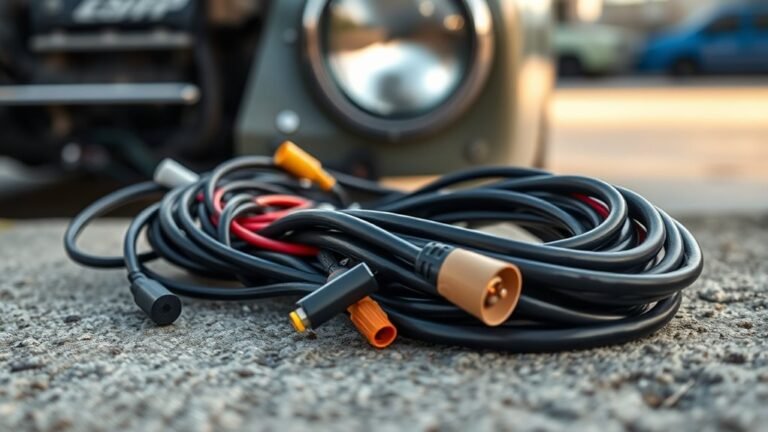
To keep it running, you typically need a hardwire kit, OBD-II adapter, or an external battery pack.
Some setups allow power to remain even after the ignition is turned off.
Without these, many dash cams will shut off when the engine stops.
Parking mode is also a handy feature; it can trigger recordings based on motion or impact.
So, having the right setup not only helps you capture incidents while driving but also keeps you protected when parked.
There’s a lot more to know about how these features work, so let’s dive into it!
Key Takeaways
- Some dash cams keep recording after the ignition is off if they’re wired to constant power or if parking mode is enabled.
- However, many models stop recording when the car turns off unless you change the power setup.
- Parking mode allows the camera to wake up when it detects motion or impact while the vehicle is parked.
- You can use hardwire kits, OBD-II adapters, or external battery packs to power recording when the car is off.
- Plus, a low-voltage cutoff feature helps protect your car battery during extended off-ignition recording.
Do Dash Cams Record When the Car Is Off?
Yes, some dash cams do keep recording when your car is off, but only if they have a constant power source or a parking mode feature.
If you plug yours into a hardwired kit, external battery, or always-on socket, it can stay active after ignition stops.
On the other hand, if it relies only on the cigarette lighter that shuts off with the engine, it won’t record.
You should check your model’s power setup, because many dash cams default to stopping when the car turns off.
Also, see whether your camera includes a low-voltage cutoff. This feature helps protect your car battery.
In short, your dash cam’s recording ability depends on how it gets power, not just the camera itself.
How Does Parking Mode Work on Dash Cams?
When you switch on parking mode, your dash cam can wake up and start recording if its motion detection senses movement near your car.
To keep that feature working after you turn off the engine, you usually need a hardwire power supply that gives the camera a steady source of power.
This setup helps your dash cam monitor your vehicle even when you’re not driving.
Motion Detection
Motion detection lets your dash cam stay alert while your car is parked.
But it usually doesn’t record nonstop. Instead, it watches for movement near your vehicle and starts saving video only when something changes.
You get useful coverage without filling your memory card with hours of empty footage.
- A person walking by can trigger recording.
- A passing car or bump may wake the camera.
- Still scenes usually stay unrecorded to conserve space.
That means you can review events like a door ding, a break-in, or suspicious activity after the fact.
For better results, check your camera’s sensitivity settings.
Too much sensitivity can cause false alerts, while too little might miss important moments.
Hardwire Power Supply
A hardwire power supply keeps your dash cam powered even after you turn off the car. This means parking mode can keep working without draining your battery.
You connect it directly to your vehicle’s fuse box, which gives the camera a steady source of power. Plus, it lets the dash cam sense when the ignition shuts off.
Once the car is parked, the dash cam can switch into a low-power recording mode. It can also start recording only when it detects motion or impact, or continue time-lapse recording depending on its settings.
This setup gives you better protection than a cigarette-lighter plug because it doesn’t cut off with the engine.
If you want reliable monitoring while your car sits unattended, a hardwire kit is usually the most dependable choice.
Which Dash Cams Record While Parked?
You’ll find that the dash cams which record while parked usually include parking mode features that keep watch after you turn the car off.
Many of these models use motion detection recording to save clips only when something happens nearby.
For longer protection, you’ll often need a hardwired power supply so the camera can keep running without draining your car battery.
Parking Mode Features
If your dash cam has parking mode, it can keep recording after you turn the car off.
But it only works when the unit is wired to constant power or has its own battery source.
You get this feature when the camera stays ready even while your engine rests, allowing it to document what happens around your parked vehicle.
This is super helpful for protecting against bumps, vandalism, or hit-and-runs, all without leaving the camera fully active all day.
- Hardwiring lets you tap constant power safely.
- An external battery pack can extend runtime.
- Built-in batteries usually last only a short time.
Be sure to check your model’s settings. Some cameras need you to enable parking mode manually.
Others let you adjust how long they stay awake, so you can balance protection with power use.
This way, you can avoid draining your car battery.
Motion Detection Recording
Motion detection lets your dash cam wake up and start recording when it senses movement near your parked car.
You’ll usually get this feature in parking mode. It helps capture people walking close by, cars passing too near, or someone tampering with your vehicle.
The camera stays idle until its sensor spots motion. This way, it can save battery and storage.
You should check sensitivity settings, though. If you set them too high, wind, rain, or traffic can trigger false clips.
On the flip side, if you set them too low, you might miss important activity.
Many models also let you record only brief clips after motion starts. This helps you review key moments quickly without filling the memory card with unnecessary footage.
Hardwired Power Supply
A hardwired power supply is what lets many dash cams keep recording while your car is parked.
You connect it to your fuse box, so the camera can draw power even when the ignition’s off.
That setup enables parking mode, which can save clips when someone bumps your car or moves nearby.
You’ll get nonstop protection while parked.
Plus, you can set a low-voltage cutoff to protect your battery.
Just a heads up, you may need professional installation for the cleanest result.
Not every dash cam supports this feature, so check compatibility before you buy.
If you want the camera to watch your vehicle after you leave, a hardwired connection is usually the most reliable option.
It gives you better coverage than plugging into a cigarette lighter alone.
What Power Options Keep Dash Cams On?
Dash cams can stay on after you shut off your car, but only if they’ve got a power source that keeps them running.
You’ve got a few choices, and each one changes how long your camera can work after ignition cuts off.
| Power option | What it means |
|---|---|
| Hardwire kit | Taps your fuse box for constant power |
| OBD-II adapter | Plugs into your diagnostic port |
| Battery pack | Stores energy for longer off-grid use |
| Built-in supercapacitor | Helps with brief shutdown events |
If you want steady power, choose a setup that matches your parking habits and vehicle use.
A hardwire kit gives you the most direct path, while an external battery can reduce strain on your car’s main battery.
Pick the option that fits your routine, not just your budget.
What Dash Cams Record in Parking Mode?
Once your dash cam stays powered in parking mode, it usually keeps watch for events around your parked car.
You’ll often get clips that capture motion, impact, or both, depending on the model. Some cameras wake up only when they sense movement nearby, while others save footage after a bump, door slam, or attempted break-in.
You might capture:
- Passing people, bikes, or vehicles near your car
- Collisions, scrapes, or a sudden jolt
- Short clips before and after the trigger
You may also see time-lapse recordings that compress long stretches into brief video.
Audio can record too, if your camera supports it.
In parking mode, the goal is simple: give you evidence of what happened while your car sat unattended.
How to Run a Dash Cam Safely While Parked
To run a dash cam safely while parked, you’ll want a setup that won’t drain your car battery or interfere with normal vehicle functions.
Use a hardwiring kit with low-voltage cutoff, so the camera shuts off before your battery gets too low.
If you’d rather avoid wiring, use a dedicated external battery pack or a dash cam with built-in parking protection.
Choose a parking mode that matches your needs, like motion detection or impact detection, and turn off features you don’t use.
Mount the camera securely, hide cables neatly, and confirm it doesn’t block your view.
Test the system after installation, then check battery health regularly.
If you park for long periods, start the engine occasionally or connect to a charger to keep power stable.
Frequently Asked Questions
Can a Dash Cam Drain My Car Battery Overnight?
Yes, it can if you leave it running overnight.
You’re likely fine with a low-power dash cam, but a hardwired or parking-mode setup can drain your battery.
This is especially true in older cars or during cold weather.
Do All Dash Cams Have Motion Detection?
Not all dash cams have motion detection; you’re steering a mixed toolbox.
Some detect movement automatically, while others don’t.
Check your model’s specs, because features vary like stars across a night sky, and settings often matter too.
Will Parking Mode Record Audio Too?
Yes, if your dash cam’s parking mode supports audio and it’s enabled, you’ll capture sound too.
Some models mute audio to save power or privacy.
Can I Turn off Parking Mode Manually?
Yes, you can turn parking mode off manually.
You can use the app, the camera’s menu, or a wired switch.
This will stop motion recording, save battery, and help you avoid unwanted clips when you’re parked.
Does a Dash Cam Record in Extreme Heat?
Yes, you can record in extreme heat, but you’ll risk overheating, shutdowns, or damaged batteries.
To minimize these risks, you should use a heat-rated dash cam and mount it out of direct sun.
Also, remember to check its temperature limits regularly.
Conclusion
So, if you’ve ever wondered whether your dash cam keeps rolling after you turn off the car, the answer often comes down to parking mode and power setup.
With the right dash cam, you can catch a fender bender just as easily parked as driving.
Coincidentally, the features that protect your car while you’re away are the same ones that help you feel safer every time you leave it behind.
In conclusion, choosing a dash cam with a reliable parking mode is essential. It ensures that your vehicle is monitored even when you’re not around.
This added layer of security can provide peace of mind, knowing that incidents are recorded, whether you’re driving or parked.
So, invest in a dash cam that suits your needs, and you’ll feel more secure both on the road and when your car is off.